

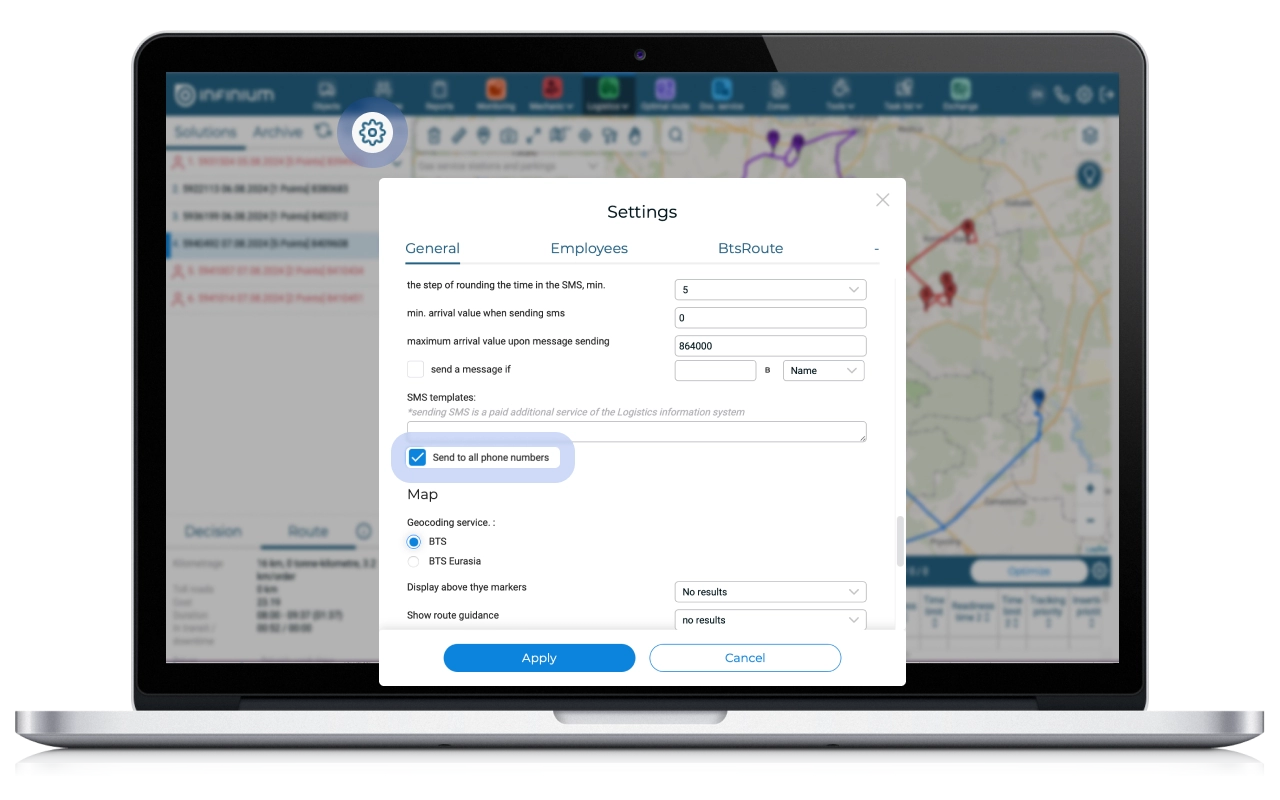
System users can now send messages to all phone numbers and E-mail specified in the order. Why did we update this feature?
Previously, in orders when several customer phone numbers were specified, an SMS with information about the delivery of the order was sent to only one of them (1st in the list). At the same time, if for some reason (the phone is turned off, there is no connection, forced blocking due to non-payment, etc.) it was not possible to send an SMS, the client remained unnotified of the upcoming delivery.
To solve the problem, we added the ability to automatically send SMS to all phone/email numbers specified in the order. This feature can be enabled using the “Send to all phone numbers” setting.
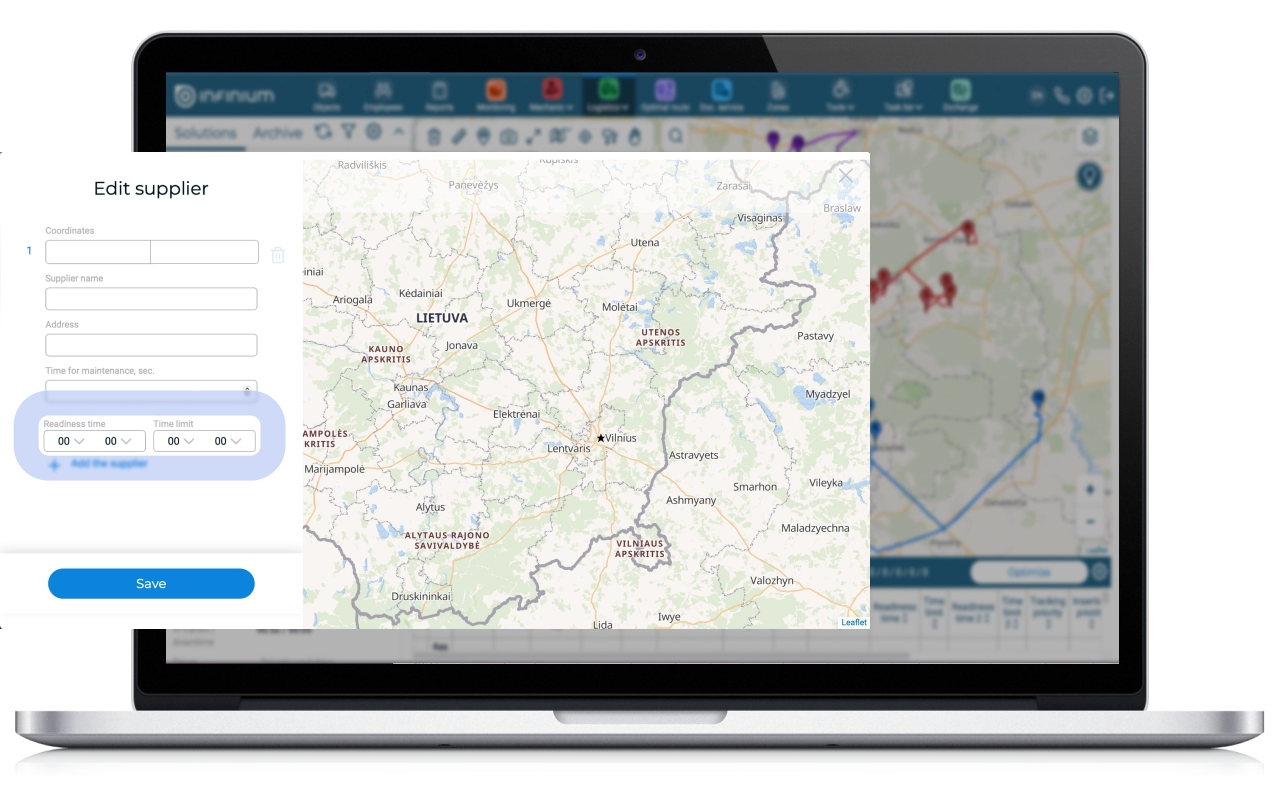
We have updated the algorithm for working with suppliers
In the Logimus System, there is a method for building routes with different suppliers for different orders. This method allows you to automatically build a route if the user does not have a common warehouse or production, or some orders need to be picked up from a specific supplier before delivery.
Previously, when solving the problem with suppliers, an algorithm was used according to which suppliers were added after the formation of optimal routes without taking into account suppliers. Now an exact algorithm for solving the problem with suppliers has been implemented. As a result, as a result of optimization, we receive correct routes, plus the quality of routes has increased – on average, the cost of a route in the presence of suppliers for all orders is reduced by 9%.
In addition, you can now specify a time interval for suppliers, which allows you to use suppliers to solve more complex problems.
What changes await you in the “Monitoring” section?
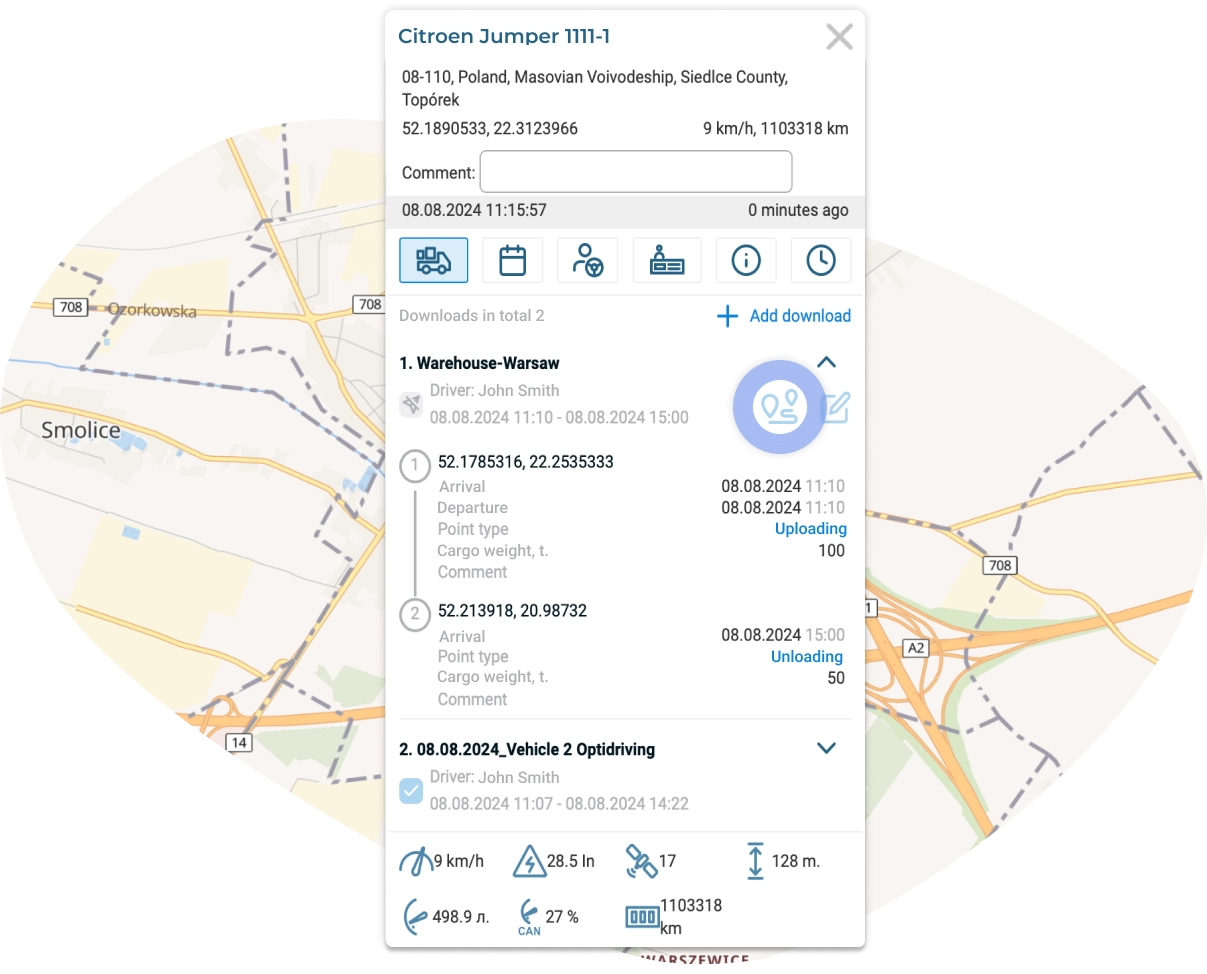
Improved functionality of the “Downloads” tab in the information window
The information window in Monitoring has become even more informative! The Downloads tab now allows users to see complete route information without having to navigate to the Optimal Route, Logistics or Downloads sections. In this case, all routes through the object that intersect with the current date are displayed, and the actually visited points are highlighted in blue. You can view the mileage remaining until the end of the route using the “Remaining mileage” button.
The ability to track activity status from the tachograph for all objects at once has also been added
Previously, to view information on the current activity status of an object from a tachograph, it was necessary to click on the desired object and open the “Tachograph” tab in the information window.
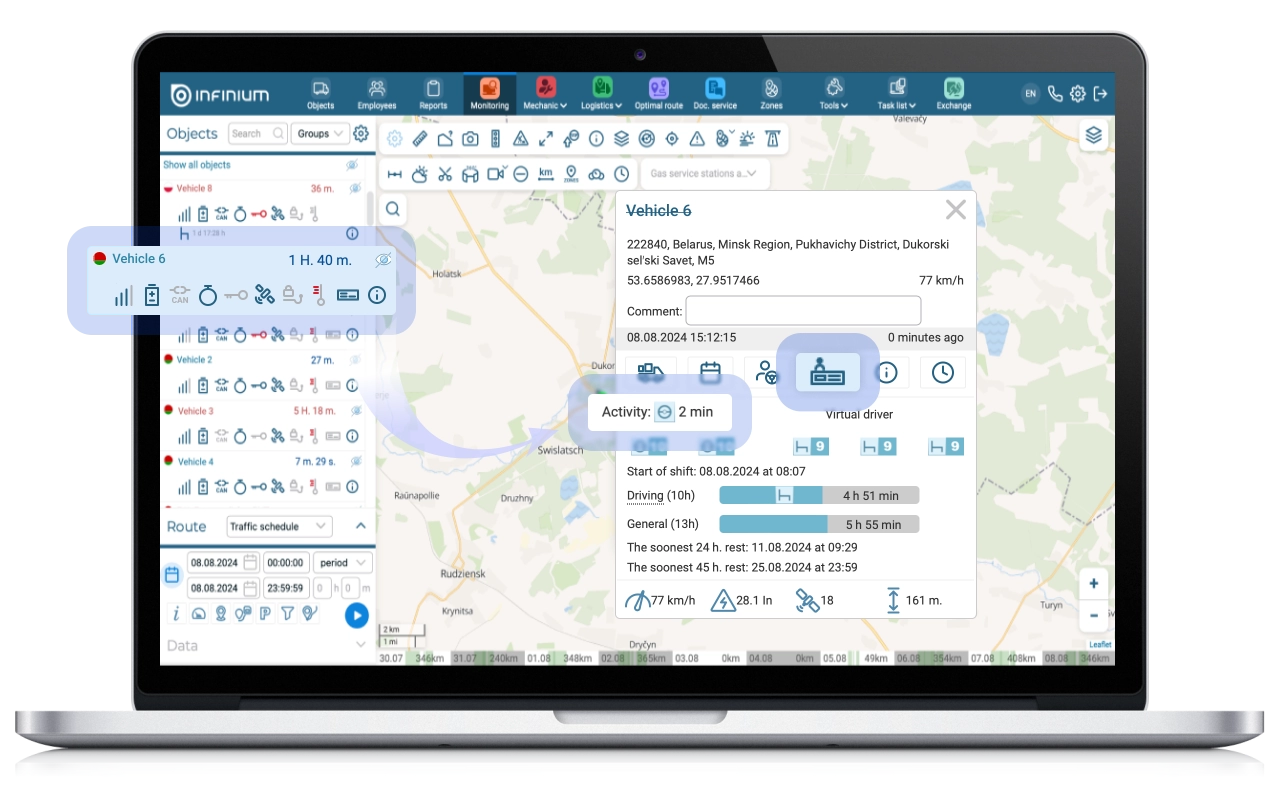
However, the logistician needs to monitor in real time the status of activity simultaneously for all objects, of which there can be quite a large number. For quick access by the logistician to this important information for all objects at once, the “Current Activity Status” icon was added to the general list of objects in Monitoring, as well as the time the object was in this status.
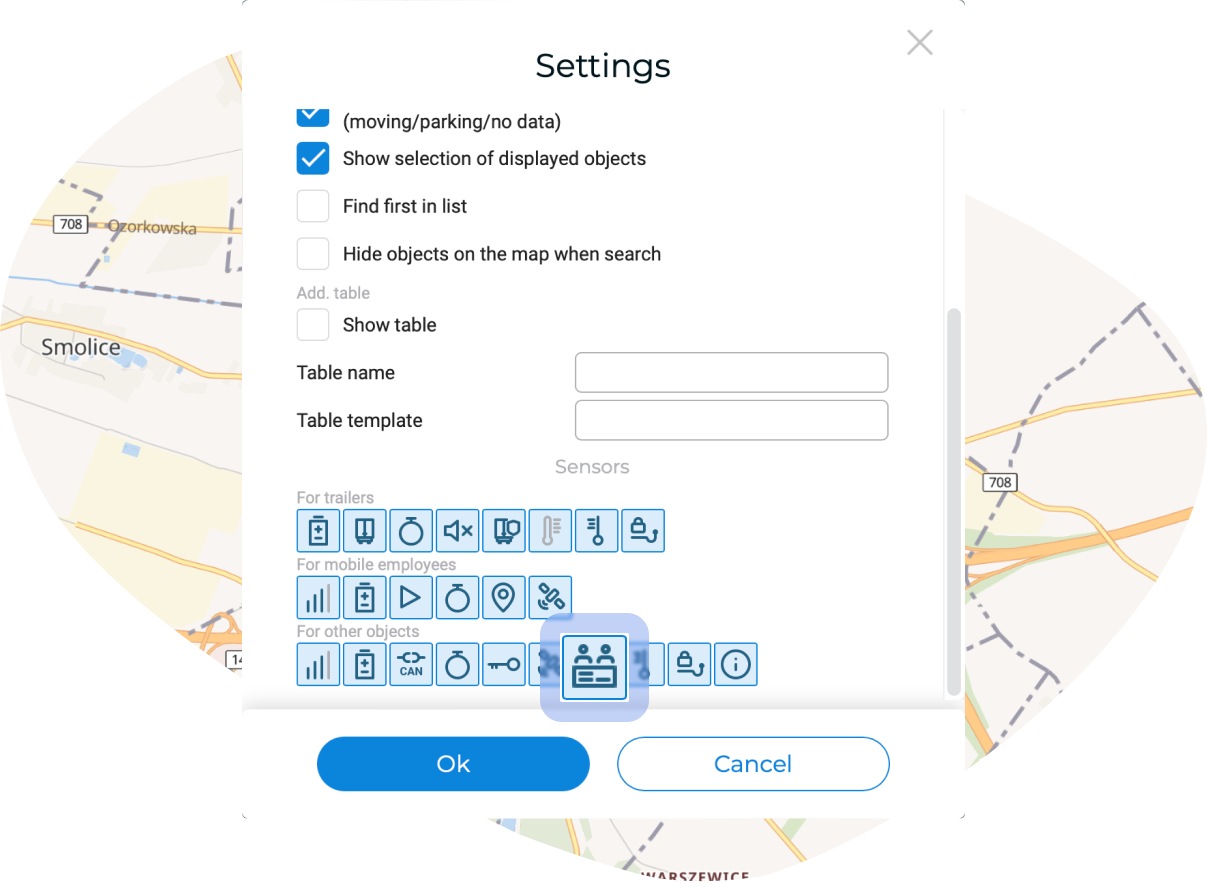
You can enable status display in the settings of the Monitoring section by activating the “Tachograph” icon.
What other updates are we ready to please you with?
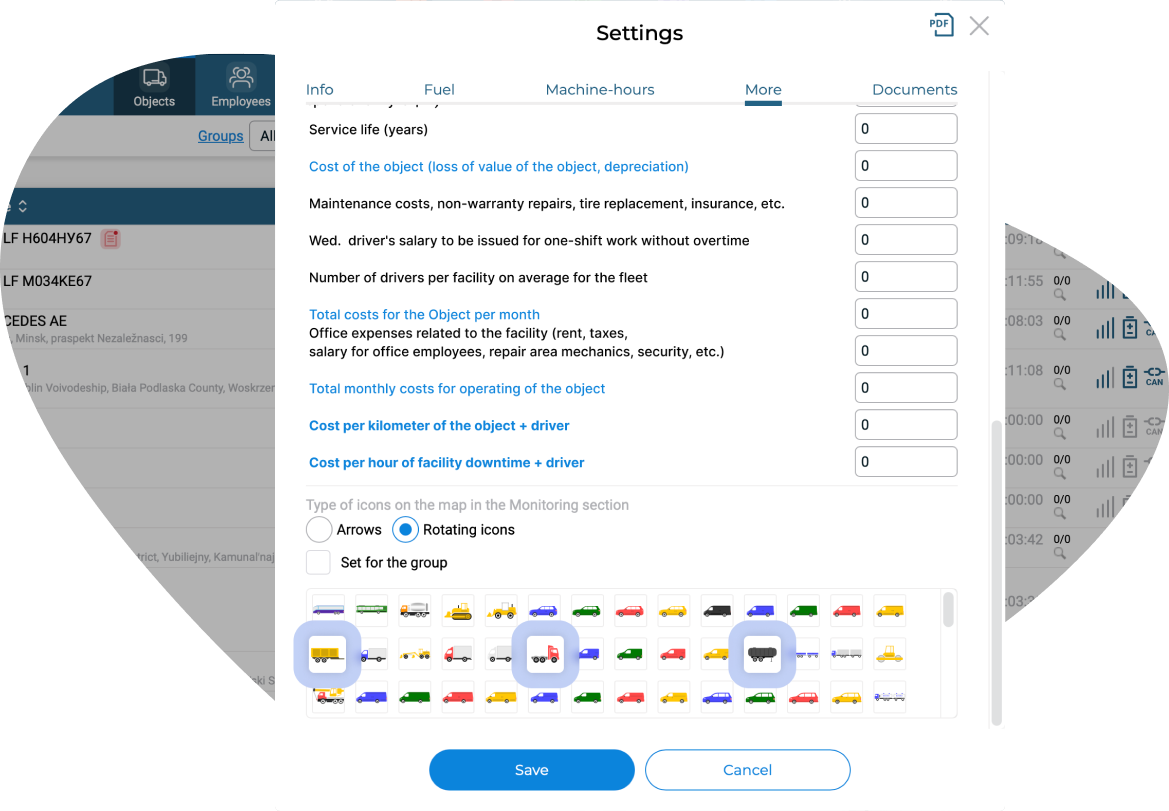
The number of object markers available for display on the map has been expanded
BelTransSputnik’s clients include more than three hundred international carriers. For transportation, the majority of vehicles use tractors and trailers, which have recently begun to often be driven separately. In order to display these objects on the map as realistically as possible, specialised icons were developed to display such types of objects as tractor, trailer and tank trailer.

You can select the appropriate icons as markers for displaying objects on the map in the settings of each Object.
Improved functionality of the Odometer section
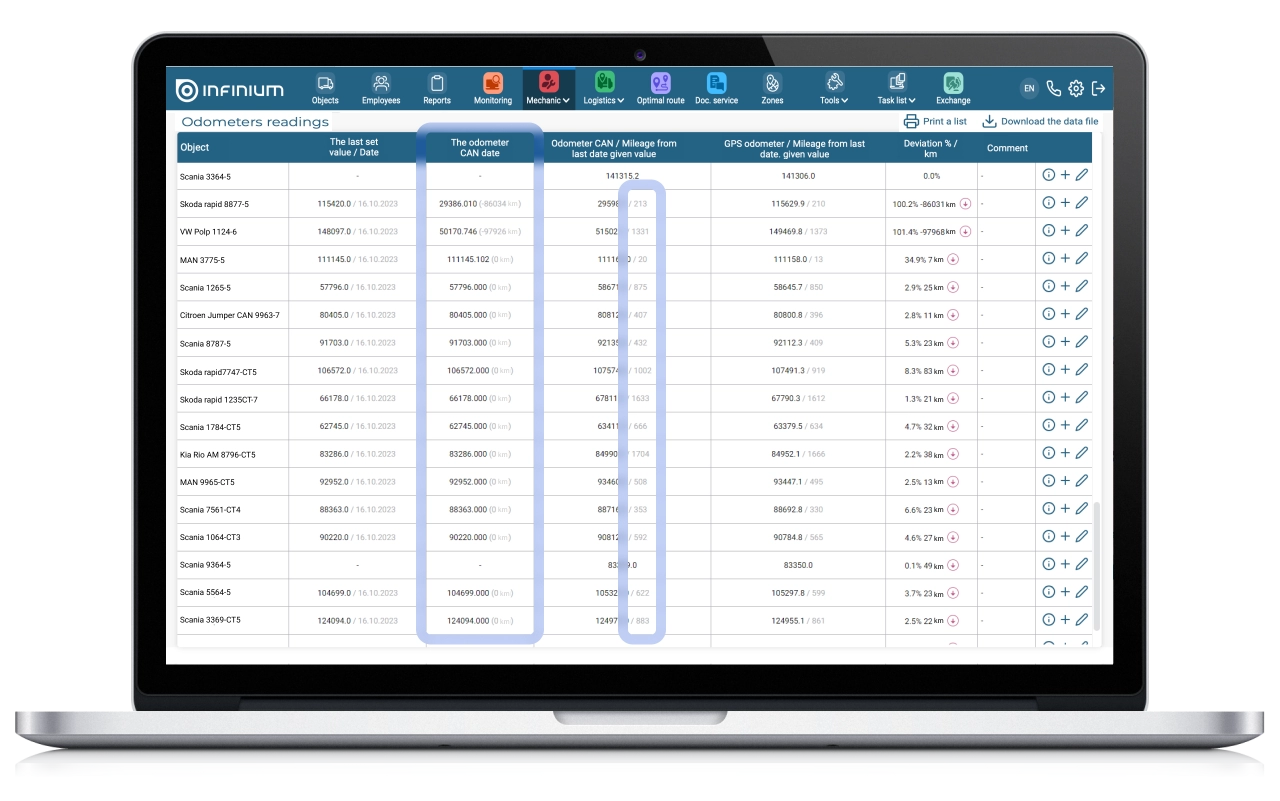
At BelTransSputnik, one of the products for automating the work of mechanics is the Odometer section, where you can maintain and view a log of odometer readings of objects.
In some companies, there is a mandatory monthly reconciliation of odometer readings from devices with the data provided by the driver. Also, manual entry of data from the odometer can be relevant for exceptional situations when there is no fresh data from the device on the day of reporting. For the most convenient process of reconciling and analyzing information on the odometer, the column “CAN odometer on date” was added to the table, as well as information about the deviation of the data from the device from the data entered by the driver.
Added the ability to customise fields in the “Telematics REF” report
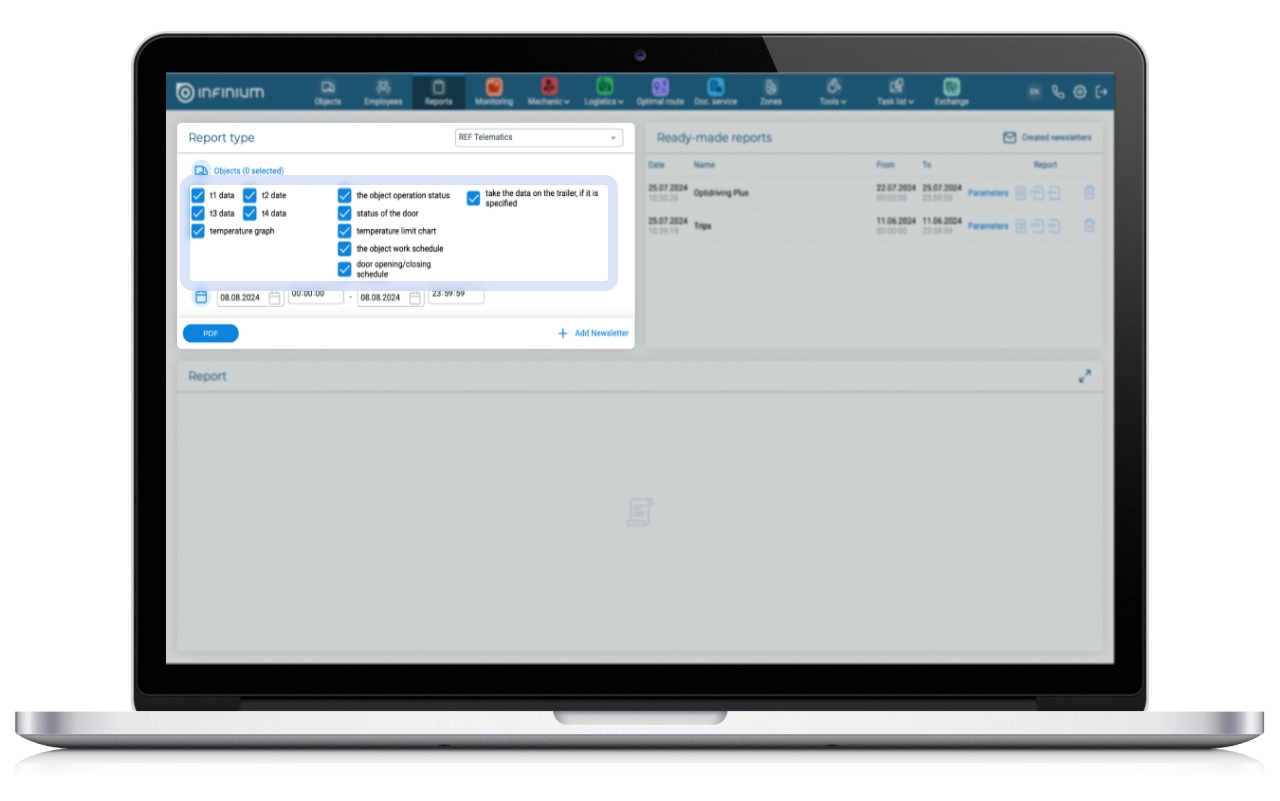
The “Telematics REF” report displays information about the operation of the refrigerator in graphical and tabular form: temperature in the body (can be obtained from two to four sensors), set temperature, activation of the defrost mode, opening and closing of doors.
It happens that the temperature in the refrigerator is normal, but the sensor erroneously indicates that the refrigerator is turned off or the door is open. To avoid such situations, the ability to select the fields required for display has been added to the “Telematics REF” report.
The logic for adding readings and downloads via Tachograph has been improved
Previously, the built-in structure of downloading tachograph data made it difficult for users to monitor the status of downloaded meters.
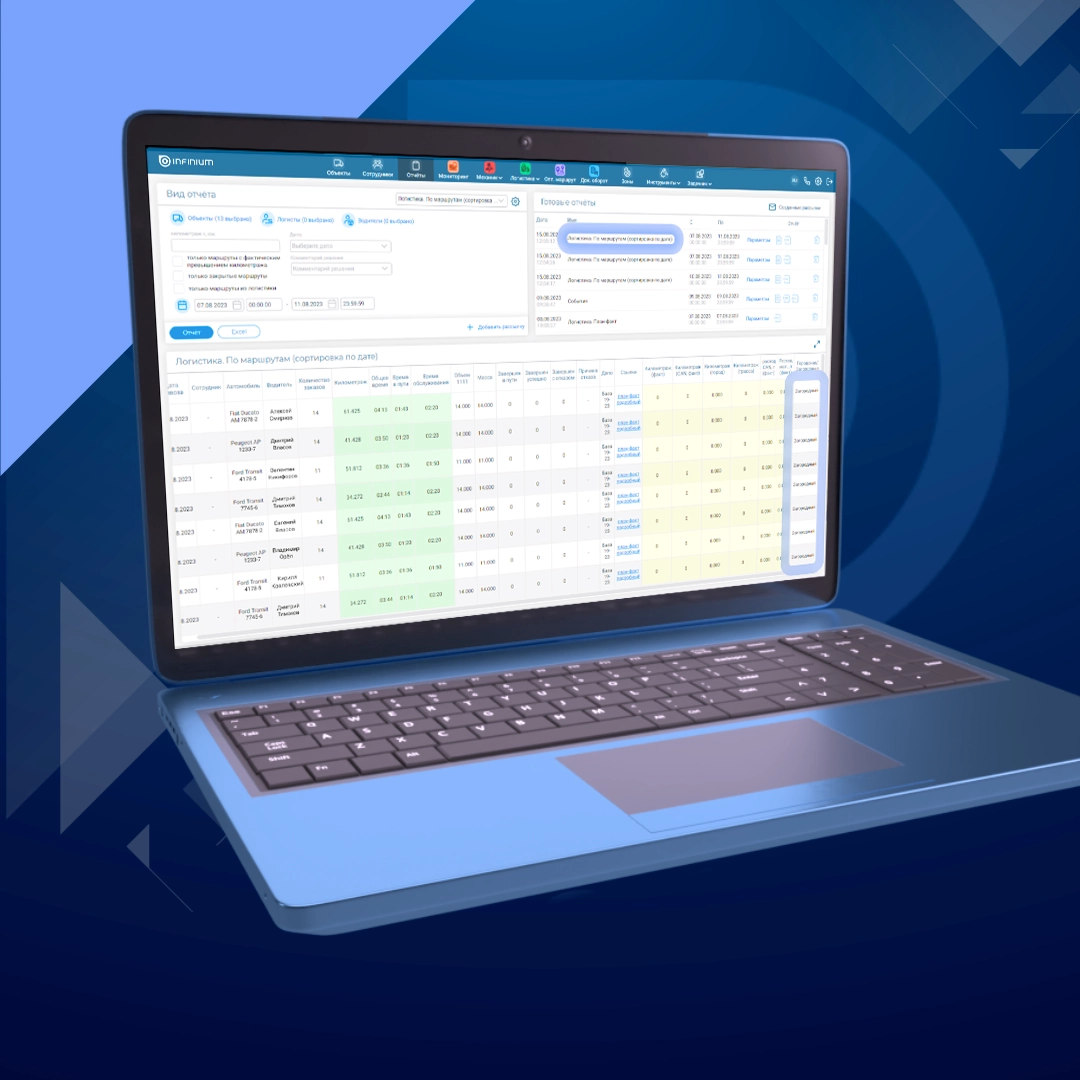
To solve the problem, in the Tachograph section, in the “Last reading status” field, icons have been added that call up loading status indicators.
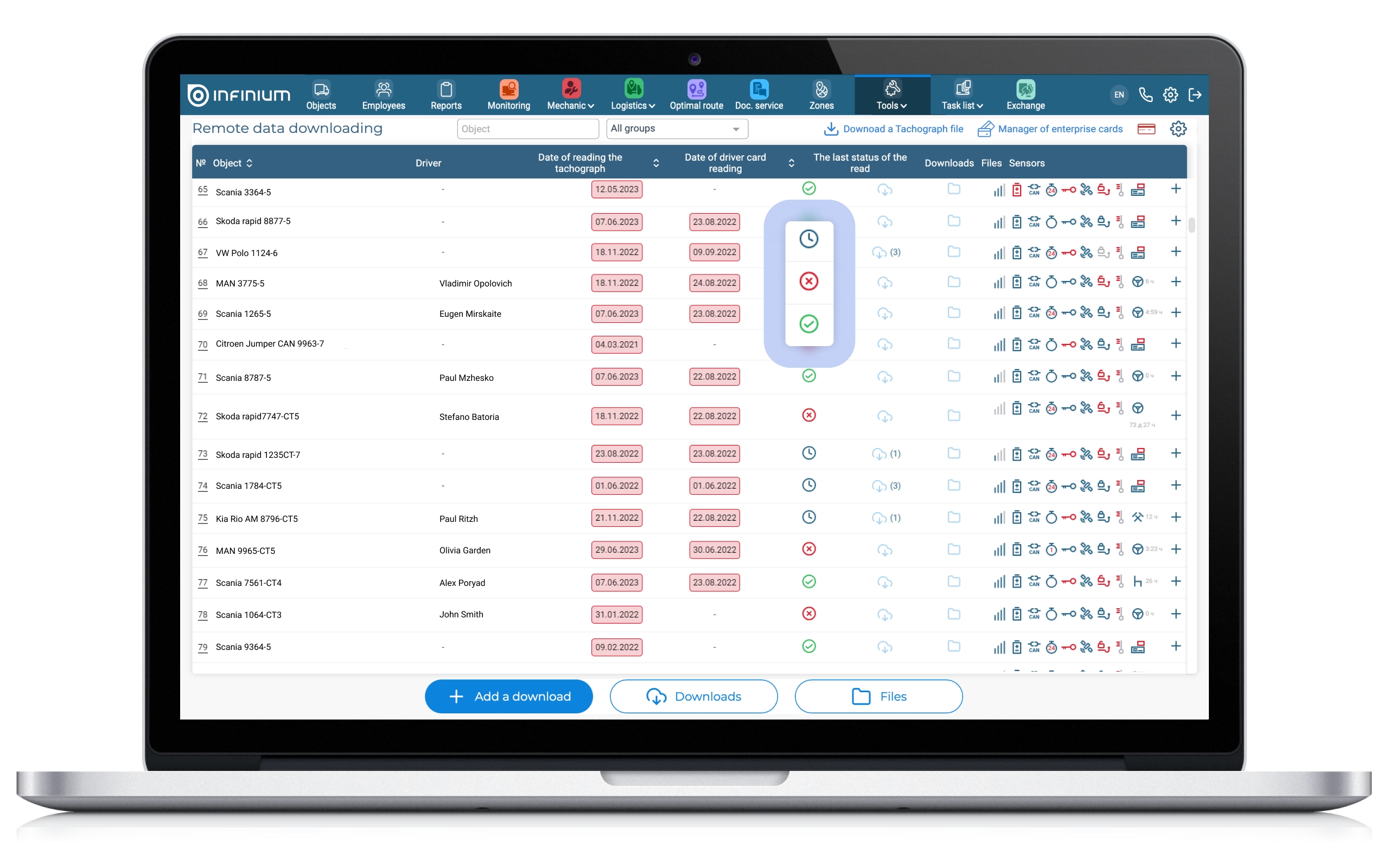
All reading statuses are conditionally divided into three groups:
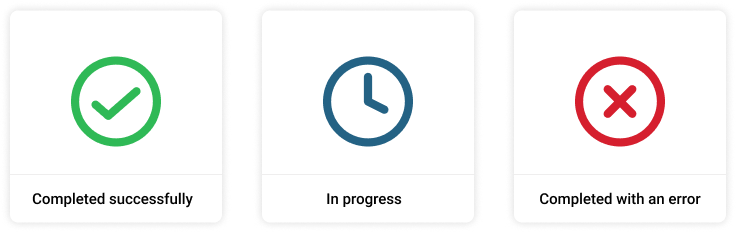
◆ Completed successfully: Successful
◆ In progress: Connection establishment (accepted), Ignition off (file_deferred_2), company card busy/unavailable (file_deferred_4), Authorization (auth)
◆ Completed with an error: File upload failed, we recommend uploading a new file (file_error), Timed out waiting for a response from the device (overlimit_error), Execution stopped (stopped), Data reading error (data_error)
When you hover over the status icon, a pop-up window appears that displays the name of the status of the last read in the read log.
Information about regular customers and new (unique) ones has been added to the “Unique clients by month” dashboard
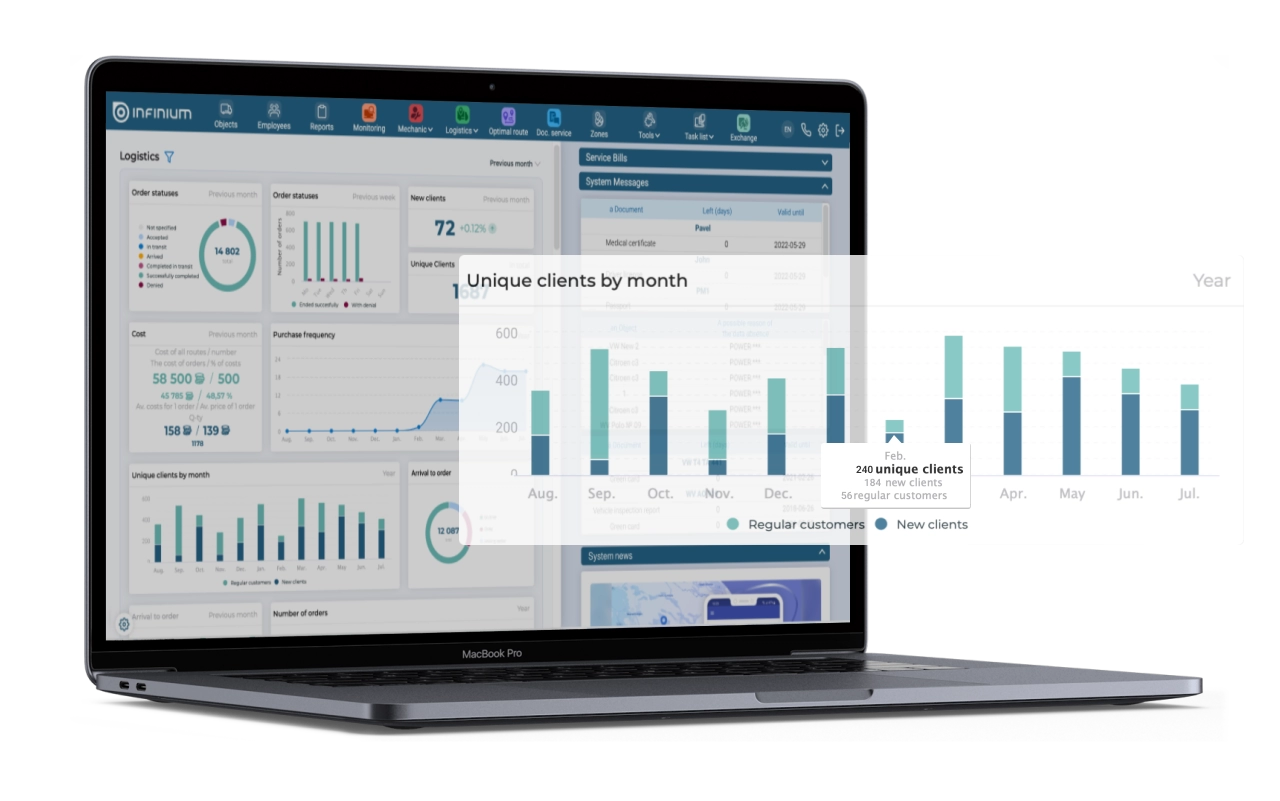
Currently, the “Unique Customers by Month” dashboard shows the number of customers who made a new order within one calendar month. Thus, the client is considered unique only within the selected month, but is not unique for the entire period.
To obtain analytical benefit from this information, it is necessary to understand which of the unique customers are new to the company and which are regular, i.e. Already placed orders before. This information is added in graphical form, as well as in numerical form – when you hover over the selected month.
In the “New Clients” Dashboard (for the period), a second level has been added with details by client
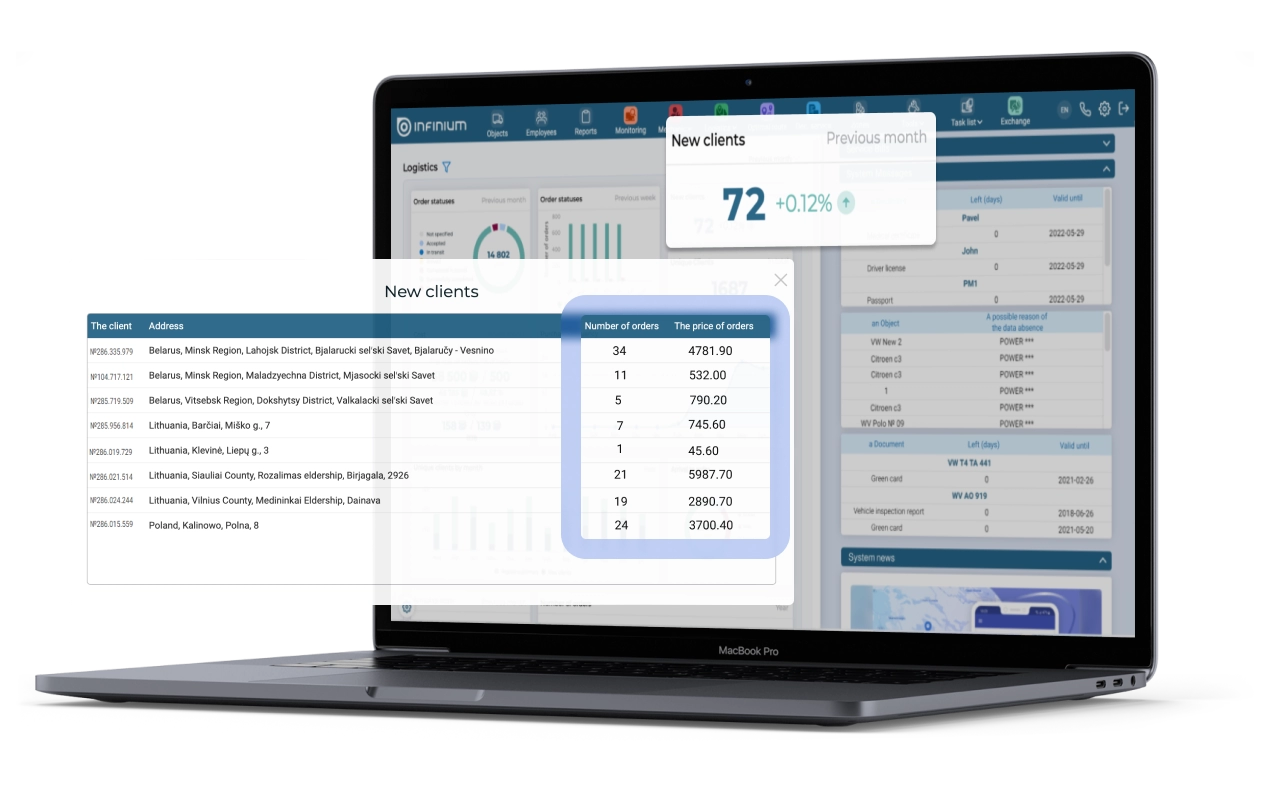
The “New Clients” (per period) dashboard shows the number of new clients in the company for the selected period. The dashboard is designed to help the manager see the results of the sales team’s work in attracting new clients.
However, it happens that there are quite a lot of new customers, but the number of orders and net profit on them is minimal or completely absent due to the excess of delivery costs over the cost of orders. To identify such situations, as well as analyze whether a new client is beneficial for the company or not, a second level has been added to the dashboard. At the second level, you can view detailed information about the number of orders and their cost for each of the new clients.
Improved functionality of the “Fault Log” in the “Mechanic” section
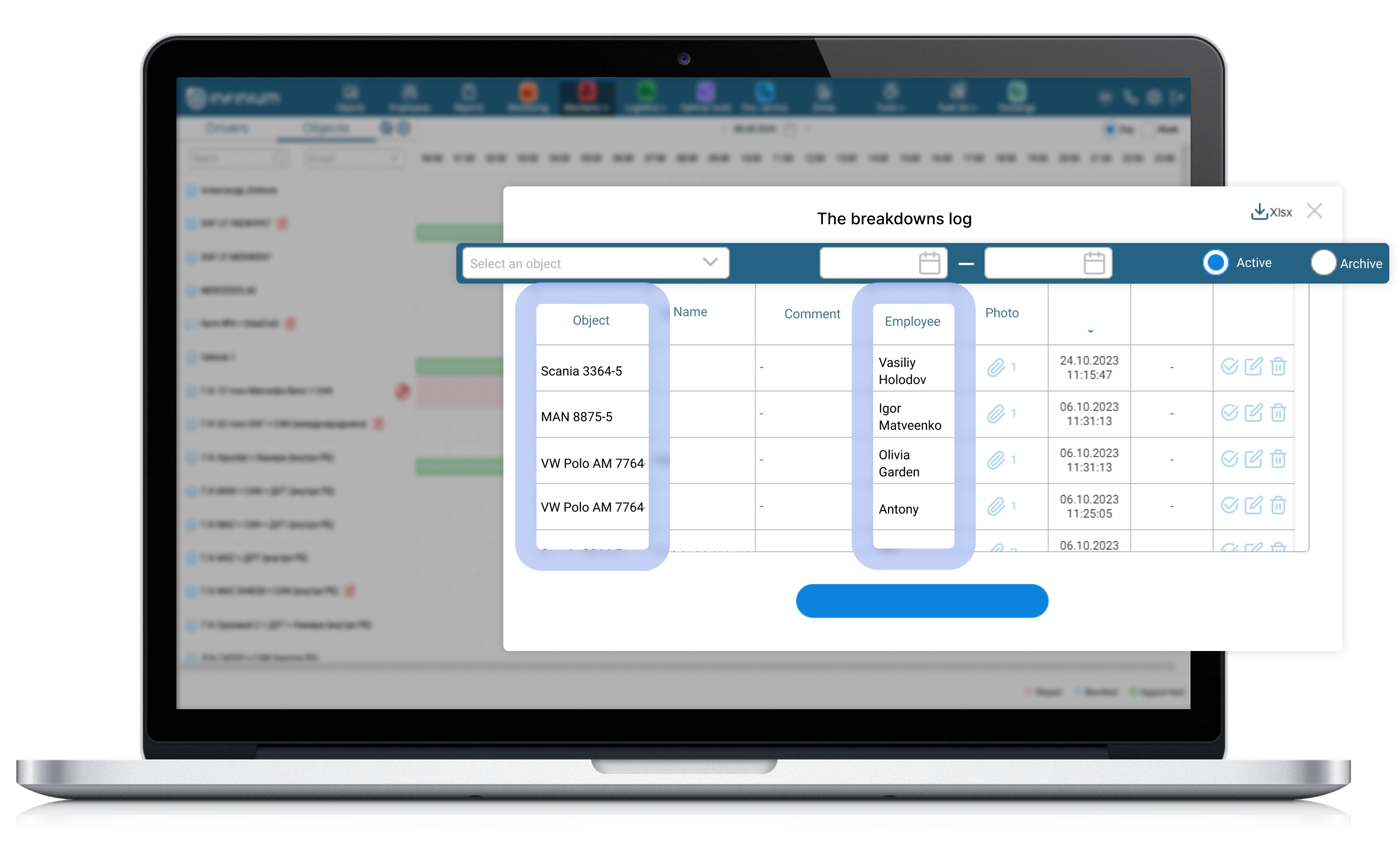
One of the main tasks of a mechanic is to monitor the presence of faults in objects, as well as their timely elimination. Using the Infinium Driver application, drivers note vehicle malfunctions detected at the beginning or end of a trip, which are then verified by mechanics and recorded in the “Fault Log”. However, sometimes for some malfunctions it is necessary to ask clarifying questions to the employees who discovered them. In order to immediately understand which employee should be contacted for clarification, the “Employee” field has been added to the “Fault Log”.
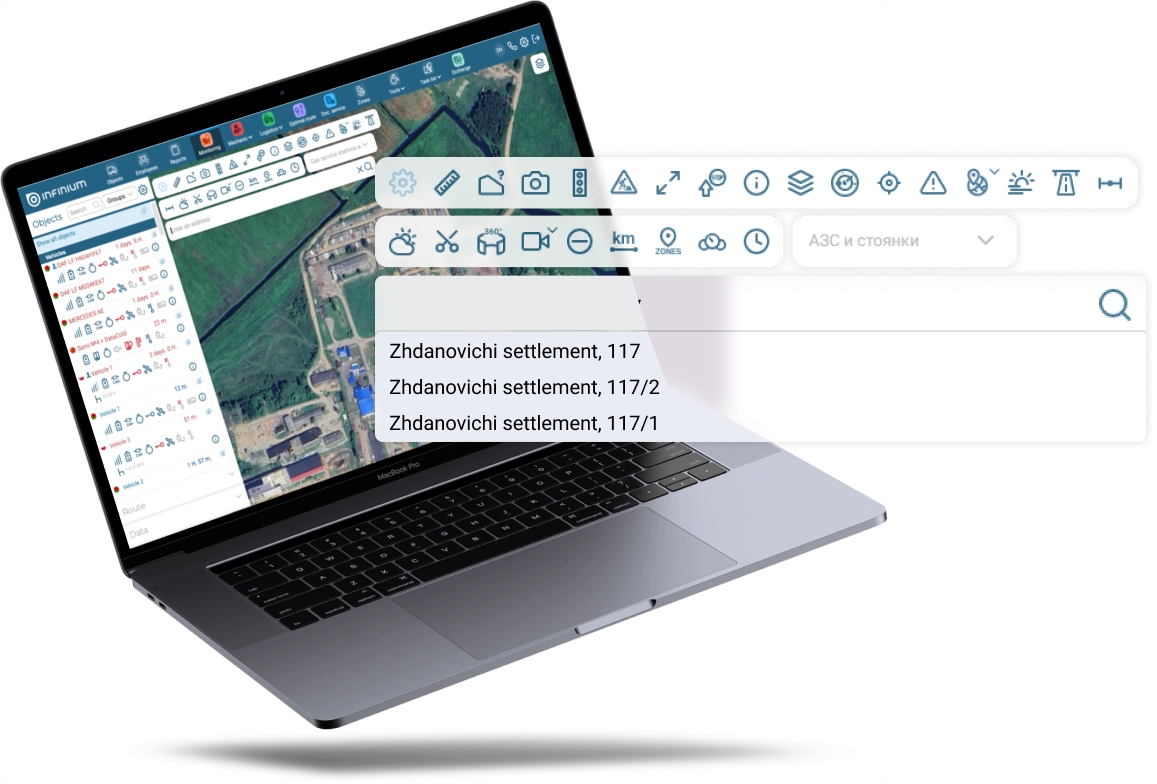
Adding 1.7 million addresses to the geocoding database for the Republic of Belarus
As a result of importing data from the National Cadastral Agency, the number of addresses in the geocoding database increased from 1.1 million to 2.8 million addresses.
In addition, the following address types have been added:
▶ village council
▶ agricultural town
▶ farm
▶ urban village
▶ village
We hope our updates will make the work of Logimus System users more convenient and efficient!