

Find out all the details about the latest updates, improvements in user functionality and new features of the System!
Updates in the “Logistics” section
Displaying the driver’s appointment time for the car
Previously, the Mechanic/Cars section only displayed the vehicle booking time. Now we have added a display of the time the car was assigned to the driver, which shows information about who used the car and when. Thus, you can now graphically compare the time of booking and the actual time of using the car, and this is very convenient.
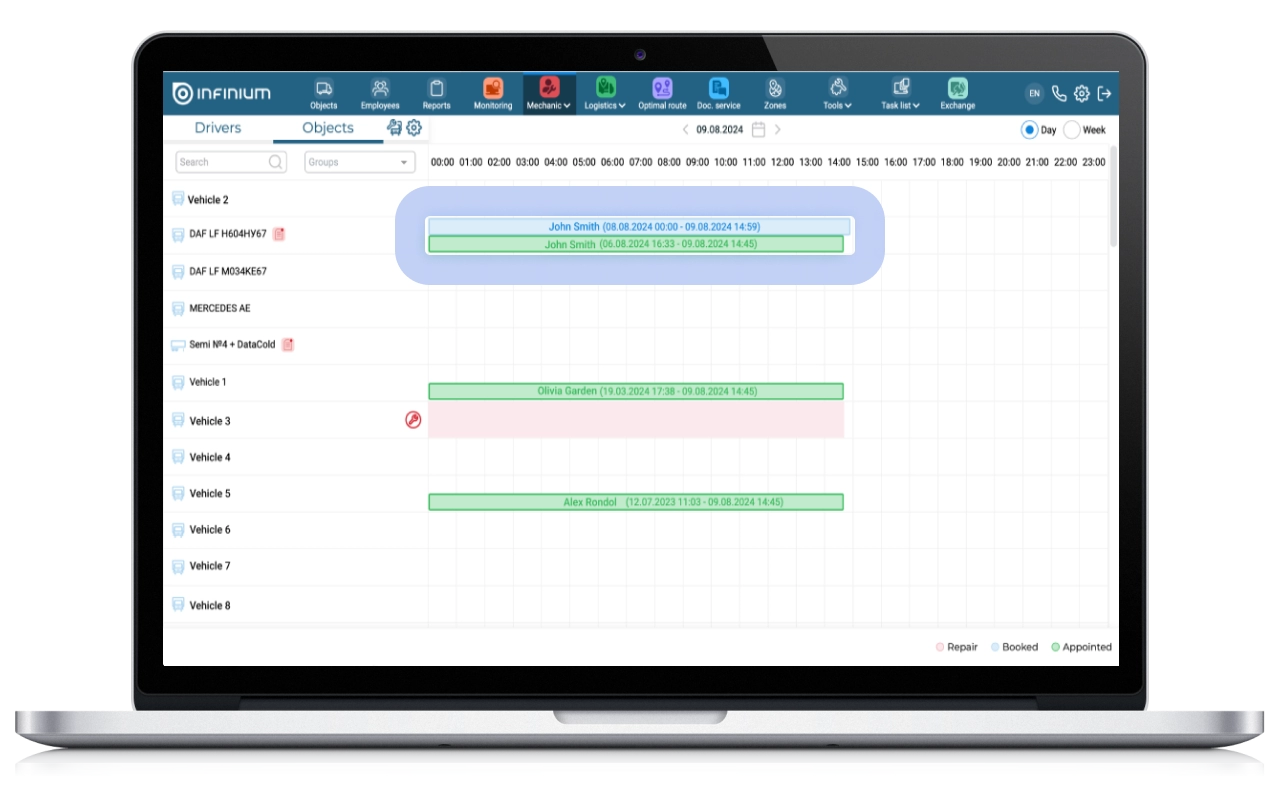
The blue stripe displays the planned time of booking, and the green stripe shows the time of assigning the car to the driver, displaying exact information about the periods of these indicators.
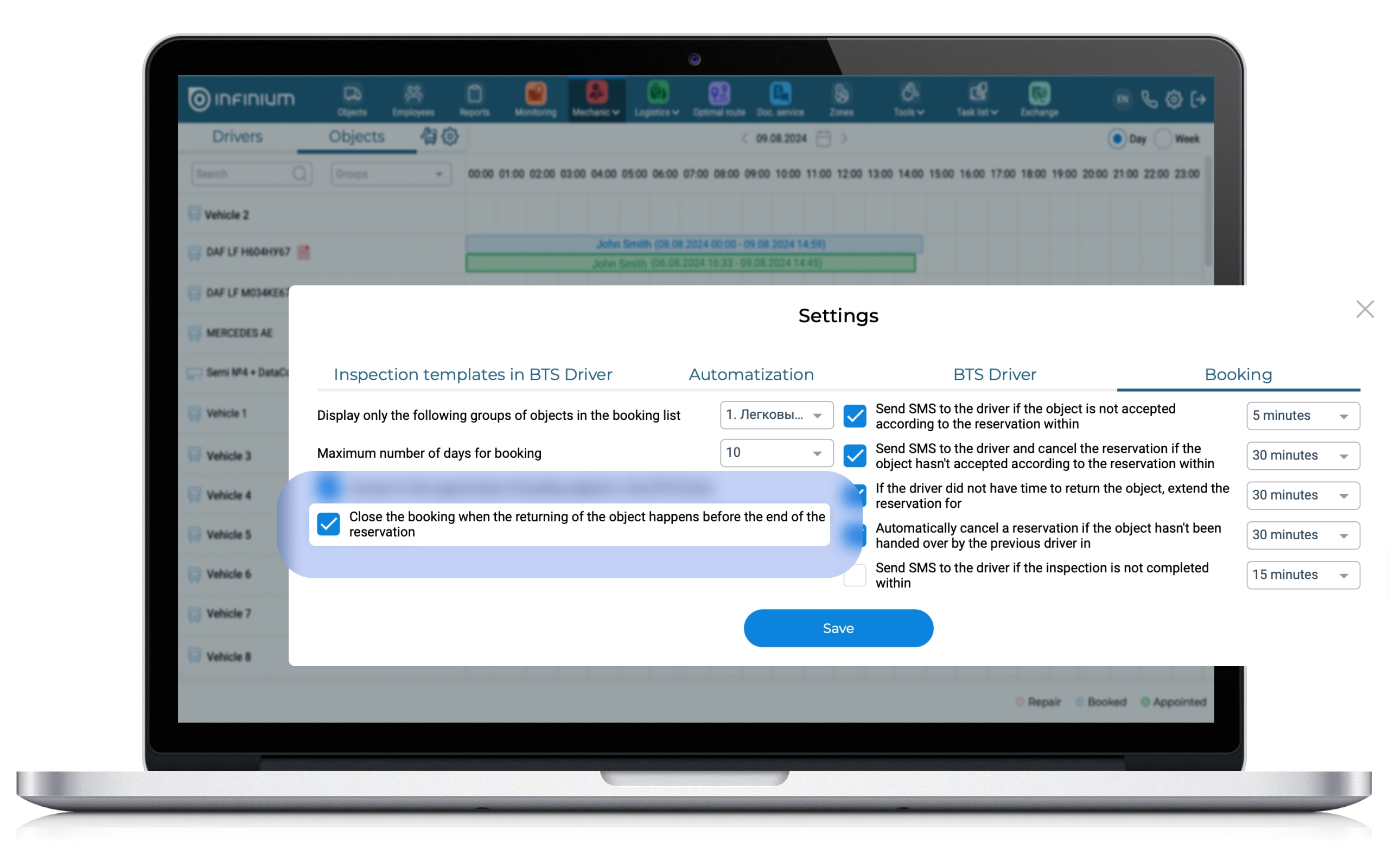
Added the “Close booking if the car is returned early” setting
There are situations when, to be on the safe side, a driver books a car for a longer time than is necessary for the trip, thus blocking other drivers from taking the car from the moment it is actually delivered by the previous driver until the end of the reservation.
To solve the problem, a checkbox “Close the booking when the returning of the object happens before the end of the reservation” has been added to the settings of the “Mechanic” section so that the planned time of booking (if the driver returns the car at an earlier date) automatically changes to the actual time of delivery of the car. Thus, the reservation will be cut off after the driver clicks the “Return” button in the Driver App mobile application.
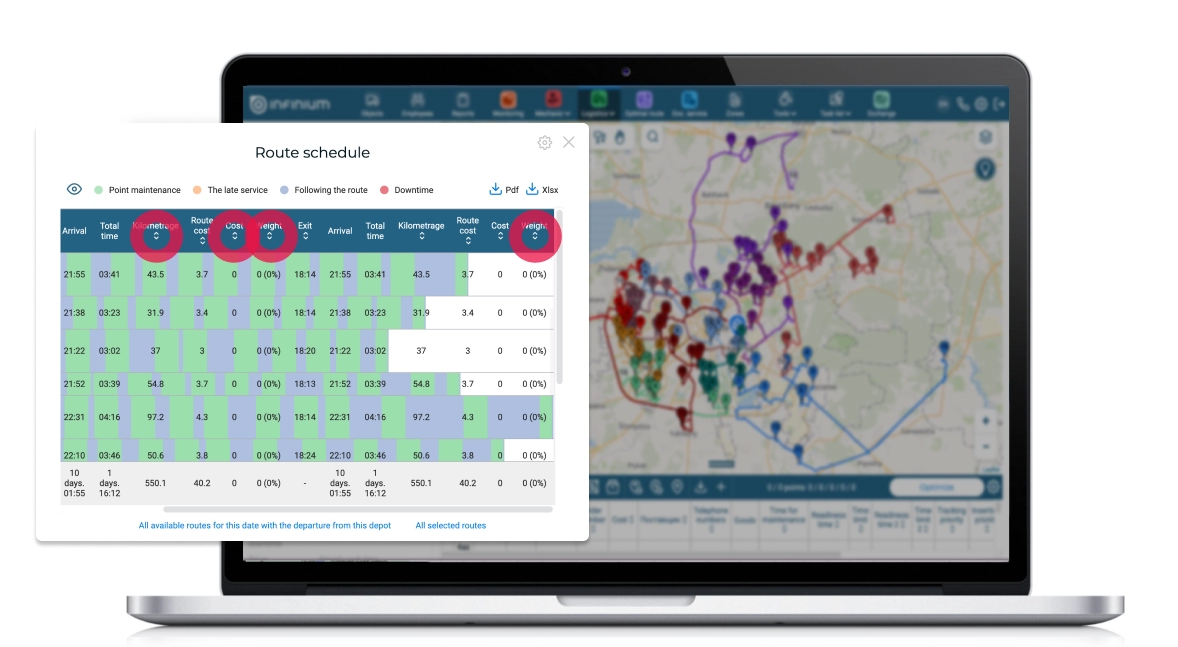
Sorting by fields in the route schedule has also been added
For the convenience of System users, sorting has been added by the following fields: Departure, Kilometers, Cost, Weight, Volume. List of situations when sorting can be useful:
- View the schedule of routes built with intensive time intervals (sorted by departure time).
- Tracking the busiest routes by weight/volume (sorting by weight and volume).
- Selection of the most expensive routes (sorted by cost).
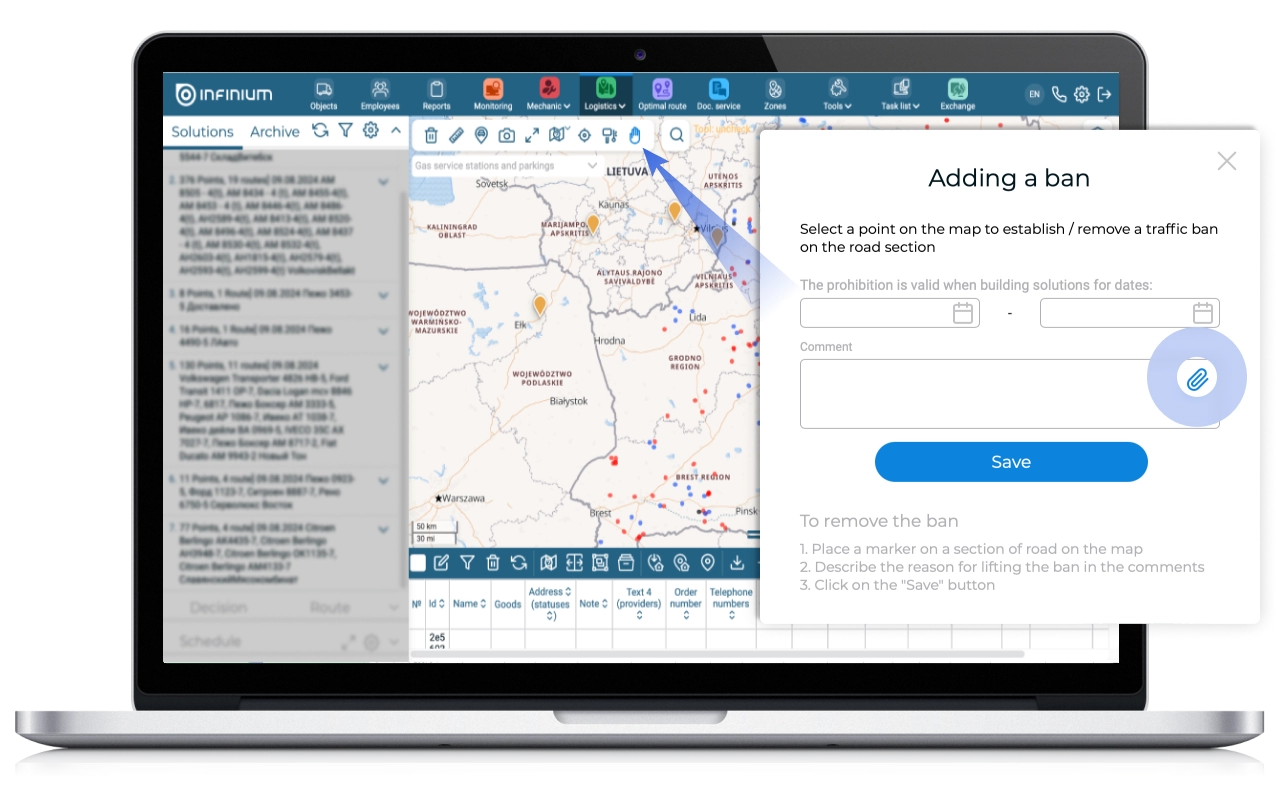
For the convenience of users, the ability to attach photos to the “Adding a ban” form has been added.
Often, System users note prohibitions, which are subsequently not confirmed. Sometimes controversial issues regarding placing/not placing prohibitions may arise. To speed up the verification of bans and their subsequent marking in the System in the “Adding a ban” form, the ability to attach a photo/screen confirming the existence of a given ban has been implemented.
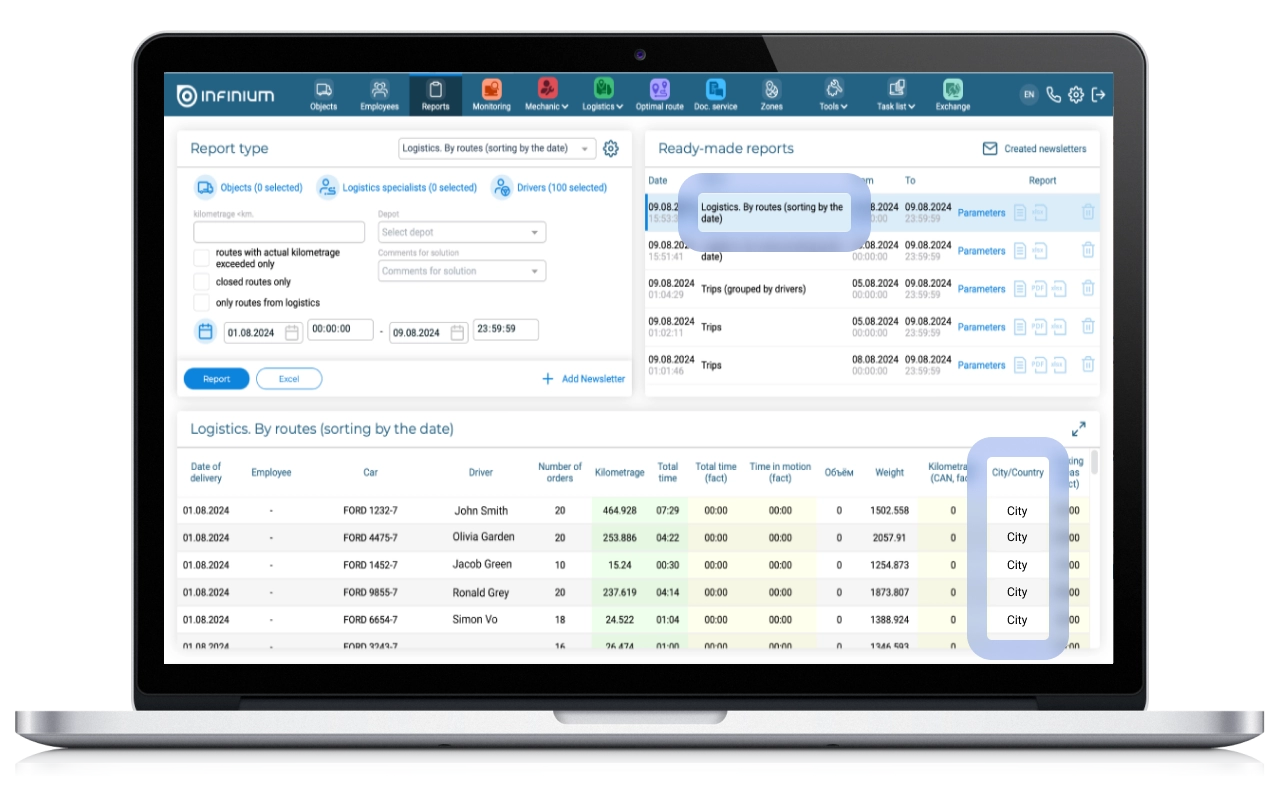
In the report “Logistics. By routes” added information about whether the route is urban or suburban
For some users, one of the criteria for determining the KPI of logisticians and subsequent payroll calculation is information about whether the route was suburban or urban. The division of routes according to this criterion has long existed in the Logimus System, however, information about whether the route is urban or suburban is available in the logistics report only in aggregated form, i.e. There are no details about which route was assigned to which type, which complicates the analysis when calculating KPIs. To resolve this issue, the report “Logistics. By routes” (which is essentially a detail of the report “Logistics. By logistics”), the urban/suburban route attribute was added.
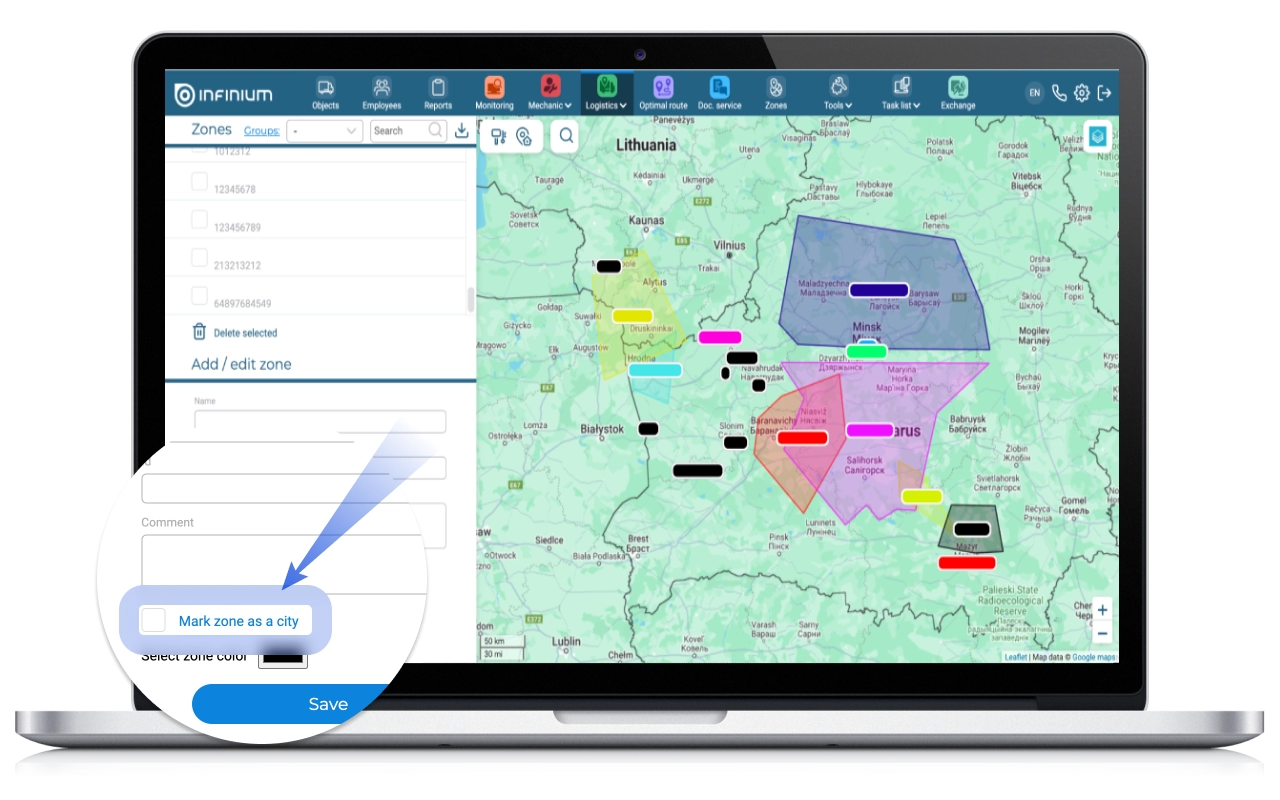
When setting this criterion along a route, the presence/absence of a mark in the “Mark zone as a city” checkbox in the “Zones” subsection in Logistics is taken into account:
When the checkbox is active, the selected zone will be considered as a city, regardless of geographic location.
If the checkbox is inactive, the urban/suburban distinction will be considered geographically.
We are confident that our updates will pleasantly please users of the Logimus System, and will also significantly improve the usability of our tools and solutions!